Welcome to our guide on Google Ads basics. We’ll show you how to set up and improve your campaigns. This guide is perfect for beginners or those looking to boost their skills.
We’ll cover all you need to know about online ads. You’ll learn how to analyze and optimize your campaigns. By the end, you’ll know how to make campaigns that work.
Key Takeaways
- Understand the basics of online advertising with Google Ads
- Learn how to set up and optimize your campaigns
- Discover how to analyze and improve your campaign performance
- Create effective campaigns that drive real results
- Develop a solid foundation in Google Ads basics
What is Google Ads and How Does It Work?
Google Ads is key for businesses wanting to succeed online. It lets companies make ads that show up on Google and other Google sites. Google Ads works on a simple yet powerful idea.
Understanding Pay-Per-Click Advertising
Google Ads uses pay-per-click (PPC) advertising. This means you only pay when someone clicks on your ad. It’s good because it helps bring people to your site without costing for views that don’t lead to action.
The cost per click (CPC) is set through an auction. Advertisers bid on keywords that fit their business. The auction looks at the bid and the ad’s quality score. The quality score is based on how well the ad fits the search, the landing page, and how many people click on it.
The Role of Google Search Results
Google Ads is big in Google’s search results pages (SERPs). When you search, you see both organic results and ads. The ads’ spot is decided by the auction system.
Ads usually show up at the top or bottom of the page, marked as “Sponsored” or “Ad.” Where they show can really affect how well they work. So, it’s important to keep improving your ads.
Overview of Different Ad Formats
Google Ads has many ad types for different goals. These include:
- Search Ads: Text ads on Google’s search pages.
- Display Ads: Visual ads with images, videos, and more, on websites in Google’s Display Network.
- Video Ads: Ads on YouTube and other video sites.
- Shopping Ads: Ads for products, with details like images and prices, on Google’s search pages.
Each ad type has its own strengths. They can help with website visits, leads, or sales, depending on your goals.
Setting Up Your Google Ads Account
Starting your Google advertising journey begins with setting up your Google Ads account. This first step is key to creating campaigns that reach your audience. We’ll show you how to set up your account, choose billing options, and use the Google Ads interface.
Step-by-Step Account Setup
Setting up your Google Ads account is easy. First, go to the Google Ads website and sign in with your Google account. If you don’t have one, create it. Then, follow these steps:
- Click on “Start Now” and follow the prompts to set up your first campaign.
- Enter your business information, including your website URL and location.
- Choose your campaign type based on your advertising goals.
- Set your budget and bidding strategy.
- Create your ad by writing a compelling headline and description, and uploading any necessary images or videos.
By following these steps, you’ll have your Google Ads account set up and ready to launch your first campaign. For those aiming for Google Ads certification, understanding this setup process is key.
Choosing Your Billing Options
Google Ads offers different billing options for various business needs. You can choose between manual and automated billing. Manual billing lets you set a budget and pay for ads manually. Automated billing charges your account automatically based on ad spend.
To choose your billing option, go to the “Billing” section in your Google Ads account. Here, you can select your preferred billing method, set your budget, and view your billing history. It’s important to keep an eye on your billing settings to match your Google Ads campaign setup goals.
Understanding Google Ads Interface
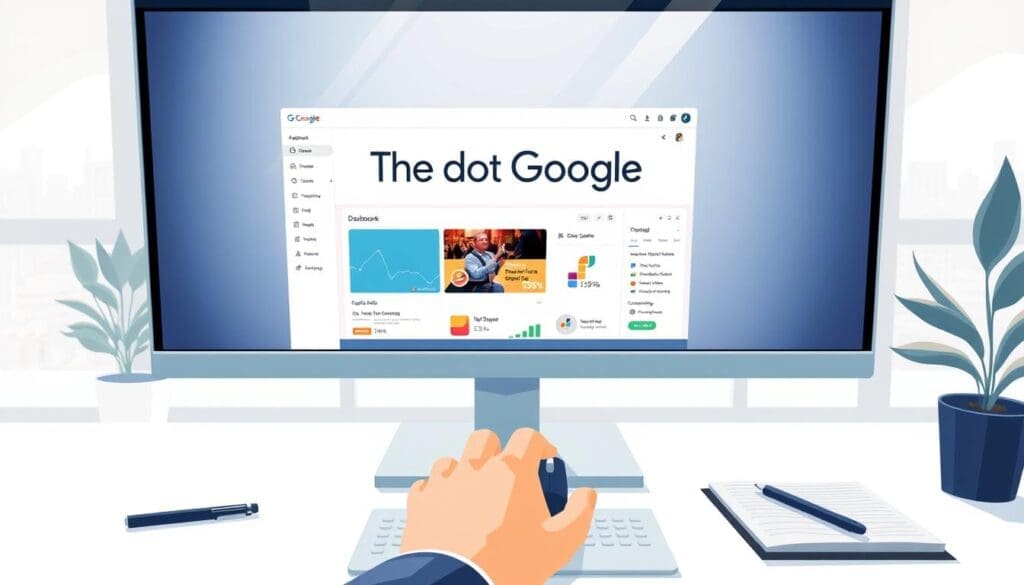
The Google Ads interface might seem complex at first. But knowing its parts is vital for managing your campaigns well. The interface has several sections, including:
- Campaigns: Where you create and manage your campaigns.
- Ad Groups: Where you organize your ads and target specific audiences.
- Ads: Where you create and edit your ad copy.
- Reports: Where you can view performance data for your campaigns.
Getting to know these sections helps you use the Google Ads platform better. It lets you make informed decisions to improve your campaigns.
Mastering the Google Ads interface helps you manage your campaigns better. Whether you’re aiming for Google Ads certification or just want to boost your campaign performance, knowing the interface is essential.
Defining Your Advertising Goals
Setting clear goals is key to a successful Google Ads campaign. It helps you make ads that speak to your audience and get results.
Identifying Your Target Audience
Knowing who to reach is vital for Google Ads success. Look at demographics, interests, and behaviors that match your business. Google Ads helps show ads to the right people.
Think about these when finding your audience:
- Demographics: Age, gender, location
- Interests: Hobbies, preferences
- Behaviors: Purchase history, online activities
Setting Measurable Objectives
Having measurable goals is key to knowing if your ads work. Goals might be more website visits, leads, or sales. Clear goals help you track and improve your ads.
Some common goals are:
| Objective | Description | Example Metric |
|---|---|---|
| Increase Website Traffic | Drive more visitors to your website | Number of website visits |
| Generate Leads | Capture interest in your products or services | Number of form submissions |
| Drive Sales | Increase conversions and revenue | Conversion rate |
Aligning Campaign Goals with Business Goals
Linking your Google Ads goals with your business is important. It makes sure your ads help your business grow. This could be more brand awareness, sales, or entering new markets.
To link your goals, follow these steps:
- Define your business objectives
- Identify how Google Ads can support these objectives
- Set campaign goals that align with your business objectives
- Monitor and adjust your campaigns to ensure alignment
Keyword Research: The Backbone of Your Campaigns
In Google Ads, keyword research is key. It helps find the right keywords for your ads. This way, your ads reach the right people.
Good keyword research means knowing your audience. It’s about understanding what they search for. This helps you make ads that speak to them.
Tools for Finding Valuable Keywords
Many tools can help find great keywords for your Google Ads. Google’s Keyword Planner is a top pick. It shows search volume, competition, and bid prices.
- Google Keyword Planner
- Ahrefs Keyword Explorer
- SEMrush Keyword Magic Tool
These tools help find and understand keywords. They guide your keyword strategy.
Long-Tail vs. Short-Tail Keywords
Knowing the difference between long-tail and short-tail keywords is important. Short-tail keywords are short and common. Long-tail keywords are longer and less competitive.
| Keyword Type | Characteristics | Example |
|---|---|---|
| Short-Tail | Generic, high competition | “Digital Marketing” |
| Long-Tail | Specific, lower competition | “Digital Marketing Services for Small Businesses” |
Long-tail keywords might have lower search numbers. But they can lead to more conversions because they’re specific.
“The key is not to prioritize the most obvious keywords, but to find the ones that will drive the most relevant traffic to your site.”
Implementing Negative Keywords Strategically
Negative keywords are vital. They keep your ads from showing in wrong searches. By using them, you target better and boost ROI.
For example, if you sell luxury watches, use “cheap” or “discount” as negative keywords. This keeps away users looking for cheap watches.
Check your search terms report often. Update your negative keywords list to make your campaign better.
By doing good keyword research and using negative keywords smartly, you can make your Google Ads campaign work better. This leads to better results and ROI.
Crafting Compelling Ad Copy
In Google Ads, your ad copy is your first chance to impress. It’s key to grab people’s attention. Good ad copy boosts your campaign’s success, leading to more sales and better ROI.
Writing Attention-Grabbing Headlines
The headline is what people see first. It’s super important. Make your headlines clear, concise, and compelling. Use keywords from your Google Ads basics to make your ad better.
Use words like “Discover,” “Learn,” or “Get Started” to get people to click. Also, highlight what makes your product special or any deals you have.
“The headline is the ‘hook’ that grabs the reader’s attention and draws them into your ad.”
Utilizing Call-to-Actions Effectively
A good call-to-action (CTA) is key. It should be clear, direct, and actionable. Use verbs like “Buy Now,” “Sign Up,” or “Contact Us.” Make it clear what action to take.
Here are some tips for great CTAs:
- Use action-oriented language
- Create a sense of urgency
- Ensure the CTA is visible and accessible
A/B Testing Your Ad Copy
A/B testing is vital for improving your ad copy. It lets you see which ads work best. This way, you can make your ads better based on what works.
When testing, try different headlines, CTAs, and ad descriptions. See which one does better. A/B testing is a must in a Google Ads tutorial for better results.
Budgeting and Bidding Strategies
Learning about budgeting and bidding is key to getting the most out of Google Ads. It’s important to know how to manage your budget and bids well. This can greatly improve how your campaign does.
Understanding Different Bidding Options
Google Ads has many bidding strategies for different goals. The right strategy depends on what you want to achieve. For example, if you want more conversions, Cost Per Acquisition (CPA) bidding might be best. But if you want more website visitors, Cost Per Click (CPC) bidding could be better.
There are also Enhanced CPC and Target CPA options. These adjust your bids to help you get more conversions. Knowing about these is key to making your campaign better.
Setting Daily Budgets
Setting a daily budget helps control your Google Ads spending. Your daily budget is how much you’re willing to spend each day. Google Ads uses this to spread out your ads and avoid overspending.
It’s important to set a budget that fits your goals. A budget that’s too low might not show your ads enough. But a budget that’s too high can waste money. As a Google Ads expert,
“A well-planned budget is the backbone of a successful campaign.”
Monitoring and Adjusting Your Spend
Keeping an eye on your campaign’s spending is key to getting a good return on investment (ROI). Checking your campaign’s performance regularly helps you find ways to better use your budget.
- Watch your daily spend to make sure it matches your budget.
- Change your bids based on how well your ads are doing and how much competition there is.
- Use Google Ads reporting tools to learn more about how your campaign is doing.
By getting good at budgeting and bidding, you can make your Google Ads campaign much better. This can lead to more conversions and help you reach your goals. Whether you’re getting Google Ads training or certification, knowing these basics is very important.
Analyzing and Optimizing Your Campaigns
To make your Google Ads campaign better, you need to check and improve them often. Look at important numbers that show how your ads are doing. Then, use this info to make your Google Ads ads better.
Performance Metrics
Important numbers to watch are click-through rates, conversion rates, and cost per conversion. These help you see where you can get better. Then, you can change your ads to do better.
Data-Driven Decision Making
It’s key to make choices based on data. Use what your ads tell you to pick better keywords, ad words, and how much to bid.
Continuous Improvement
Always trying to get better is important. Check how your ads are doing, try new things, and make your targeting better. This helps you get more value from your ads.
FAQ
What is Google Ads and how does it work?
Google Ads is a way for businesses to show ads on Google and other sites. You only pay when someone clicks on your ad.
How do I set up my Google Ads account?
To start, follow Google’s steps. This includes picking how you’ll pay and getting used to the Google Ads interface.
What is keyword research, and why is it important?
Keyword research helps find the right words for your ads. It makes sure your ads reach the right people and bring in the right visitors.
How do I create effective ad copy?
Make your headlines grab attention. Use clear calls-to-action. Test different versions of your ad to see what works best.
What are the different bidding options available in Google Ads?
Google Ads lets you choose how you pay. You can pay per click, per thousand views, or per conversion. Pick what fits your goals.
How do I manage my Google Ads budget?
Set a daily budget and watch your spending. Adjust your bids to keep your campaign running well.
What metrics should I monitor to optimize my Google Ads campaigns?
Keep an eye on CTR, conversion rate, cost per conversion, and ROAS. Use this data to improve your ads.
How can I improve my Google Ads campaign performance?
Always look for ways to get better. Improve your keywords, ad copy, and bids. Make choices based on data.
What is Google Ads certification, and is it necessary?
Google Ads certification shows you know your stuff. It’s not required but can help show your skills.
How do I get started with Google Ads training?
Start with Google’s training. Check out the Google Ads Help Center and certification program. They’ll teach you the basics and more.